Whether you’re starting a journey into HTML, CSS, and JavaScript or looking to solidify your design foundations, a well-chosen book can accelerate learning and build confidence. This guide highlights five beginner-friendly web design books that cover core technologies, practical examples, and approachable explanations. Each entry includes key features to help you compare options and find the best fit for your learning style.
| Product | Brand |
|---|---|
| HTML and CSS: Design and Build Websites | Wiley |
| Web Design with HTML, CSS, JavaScript and jQuery Set | Wiley |
| Learning Web Design: A Beginner’s Guide to (X)HTML, StyleSheets, and Web Graphics | O’Reilly |
| Learning Web Design: A Beginner’s Guide to HTML, CSS, JavaScript, and Web Graphics | O’Reilly |
HTML and CSS: Design and Build Websites

Authoritative for beginners, this Wiley title introduces HTML CSS fundamentals through practical examples and hands-on projects. The book emphasizes clean, semantic markup and progressive enhancement, making it a solid foundation for visual design and front-end development. The included packaging and gift-ready presentation add appeal for learners seeking a tangible learning resource. While some chapters focus on older syntax, the core concepts of structure, style, and responsive design remain relevant for modern web pages.
Web Design with HTML, CSS, JavaScript and jQuery Set
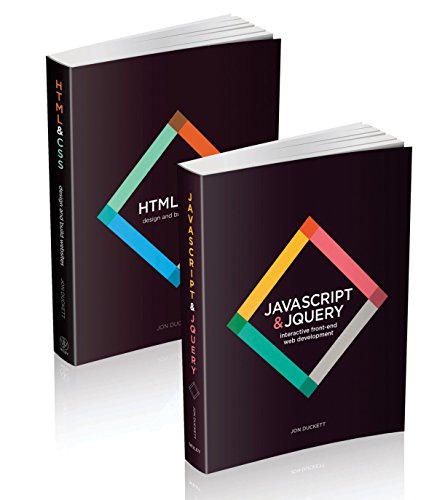
This Wiley two-volume set combines essential web technologies in a cohesive package designed for beginners. The format emphasizes visuals and accessible language, making complex ideas easier to grasp. The collection covers HTML, CSS, JavaScript, and jQuery, offering a broad toolkit for aspiring designers and front-end developers. It’s particularly valuable for learners who benefit from paired examples and clear step-by-step workflows, though readers should supplement with current resources for evolving JavaScript practices.
Learning Web Design: A Beginner’s Guide to (X)HTML, StyleSheets, and Web Graphics

O’Reilly’s introductory text focuses on the fundamentals of (X)HTML, CSS, and basic graphics for the web. The book is known for pragmatic explanations and practical exercises that help beginners translate theory into real-world pages. It’s a solid first read for readers who prefer a traditional, project-based approach. As with many classic design titles, some techniques reflect earlier standards, so learners should cross-reference with modern practices for responsive and accessible design.
Learning Web Design: A Beginner’s Guide to HTML, CSS, JavaScript, and Web Graphics

This O’Reilly title expands on fundamentals to include JavaScript and interactive elements alongside HTML and CSS. The approachable tone and practical projects support beginners in building interactive, accessible web pages. Like other beginner guides, readers should corroborate with up-to-date online resources to align with current best practices in modern browsers and performance optimization. The book’s breadth makes it a versatile starting point for learners exploring front-end development.
Buying Guide
Key purchase considerations help buyers select the best book for their learning style and goals:
- Content scope: Some books focus primarily on HTML/CSS, while others introduce JavaScript and jQuery. Choose based on whether you want a pure styling guide or a broader front-end foundation.
- Hands-on projects: Look for titles that offer practical exercises, sample code, and step-by-step tutorials that translate theory into real pages.
- Author expertise: Reputable publishers like Wiley and O’Reilly provide structured content and reliable explanations, which is beneficial for beginners.
- Current vs. classic approaches: Classic texts establish core concepts, while newer resources reflect current web standards, accessibility, and responsive design considerations.
- Supplementary resources: Some books include online companion materials or code samples. Access to these can enhance the learning experience.
- Reading format: Consider whether you prefer a roomy print layout for note-taking or a compact ebook for portability and quick references.
- Giftable packaging: Attractive packaging and gift options can be advantageous if you’re purchasing as a beginner’s starter kit or a learning gift.
- Learning goals alignment: If your goal is to build a portfolio quickly, prioritize books with projects you can showcase, such as responsive layouts, forms, and interactive components.
- Supplemental topics: For readers aiming to advance, select titles that touch on accessibility (a11y), performance, and modern CSS techniques like grid and flex layouts.
- Cross-referencing: Since technology evolves, use these books as foundational resources and cross-check with current online tutorials or documentation to stay up to date.
In summary, the chosen titles provide a mix of essential HTML/CSS foundations and introductory coverage of JavaScript and web graphics. Readers can start with concrete projects, gradually expand to interactive features, and build a solid portfolio-ready skill set through consistent practice and reference to supplementary online resources.